No glossary term selected
No matching glossary terms. Try a broader word such as DOCSIS, signal, speed, or errors.
DOCSight features
Before/After Comparison
Also searched as: Comparison view · Repair comparison
Quick summary
Before/After Comparison shows what changed around a repair, reboot, or provider visit.
Explanation
It compares snapshots around a chosen change so improvements and regressions are visible.
A before/after view is strongest when both sides use comparable sample windows and supported metrics. Different windows or missing fields can mislead.
Use it after changes such as splitters, cable work, modem restarts, or provider maintenance. Export the compared timestamps and unchanged metrics as well as the improved ones.
Where you see this in DOCSight
DOCSight features
BNetzA measurement
Also searched as: Broadband measurement · Bundesnetzagentur measurement
Quick summary
BNetzA measurement attaches official broadband-measurement evidence to DOCSight.
Explanation
BNetzA measurement support helps place official throughput evidence on DOCSight’s diagnostic timeline.
Official measurement data is a performance record, not a DOCSIS channel reading. It should be compared with modem evidence rather than merged into signal health.
Use BNetzA results as formal user-impact evidence alongside time-matched DOCSight snapshots, monitor data, and incident notes. Keep measurement method and timestamp visible.
Where you see this in DOCSight
DOCSight features
BQM
Also searched as: Broadband Quality Monitor · ThinkBroadband BQM
Quick summary
BQM adds an external view of latency and packet loss over time.
Explanation
The BQM integration brings external latency/loss monitoring into DOCSight so packet-loss windows can be compared with modem evidence.
BQM observes reachability from outside the home network toward the monitored endpoint. It complements modem data but does not identify the DOCSIS layer by itself.
Use BQM for timing correlation: match loss blocks with DOCSIS events, signal trends, and user reports. Treat monitor-target or routing caveats separately.
Where you see this in DOCSight
DOCSIS terms
Channel bonding
Also searched as: Bonded channels · Channel bundle · DOCSIS bonding · Channels
Quick summary
Channel bonding lets a modem use several cable channels together.
Explanation
DOCSIS modems often use multiple downstream and upstream channels at once. DOCSight groups visible channels so you can see what is bonded, locked, and healthy.
Bonding combines channel capacity, but the usable result depends on direction, channel family, lock state, profiles, scheduler behavior, and service configuration.
When reviewing bonding evidence, look for missing or degraded members in the bundle, family-specific health, and whether symptoms affect one channel, one direction, or the whole service group.
Where you see this in DOCSight
DOCSight features
Channel Timeline
Also searched as: Timeline · Channel history
Quick summary
Channel Timeline shows how channel state changed over time.
Explanation
Channel Timeline makes drops, lock changes, and signal shifts easier to compare across observation windows.
A timeline can separate persistent impairment from a short transition, resync, maintenance window, or reporting gap. It depends on the snapshots DOCSight actually collected.
Use the timeline to line up channel changes with events, error growth, speed/latency evidence, and user notes before deciding whether a channel problem is current.
Where you see this in DOCSight
DOCSIS terms
CMTS
Also searched as: Cable Modem Termination System · Provider headend · CCAP
Quick summary
The CMTS is the provider-side system your cable modem talks to.
Explanation
A CMTS or related access system manages DOCSIS modems, channels, scheduling, and service configuration. DOCSight usually sees only the modem side.
CMTS/CCAP behavior can affect channel availability, profiles, scheduling, and provisioning, but those provider-side decisions are only partly visible through modem telemetry.
Do not infer exact CMTS state from modem evidence alone. Use CMTS-related wording only when supported by explicit provider data, event context, or modem fields that actually expose it.
Where you see this in DOCSight
DOCSight features
Connection Monitor
Also searched as: Ping monitor · Availability monitor
Quick summary
Connection Monitor watches whether the connection stays reachable and responsive.
Explanation
It tracks reachability and latency over time, making dropouts and timing evidence easier to export and discuss.
Monitor evidence reflects end-to-end reachability to the chosen target, not only DOCSIS RF health. A clean modem signal can still coincide with latency or routing symptoms.
Use monitor windows with event logs and signal trends. Separate target outages, local LAN issues, and access-network symptoms before treating a latency spike as DOCSIS evidence.
Where you see this in DOCSight
DOCSIS terms
Correctable errors
Also searched as: Correctables · Corrected codewords · FEC corrected
Quick summary
Correctable errors are signal mistakes the modem could repair.
Explanation
Correctable counters can rise even on a working line. DOCSight makes them useful by showing rate, timing, affected channels, and whether uncorrectables also rise.
Correctables show FEC work, not direct packet loss. Recent growth during noise events is stronger evidence than a large cumulative total left over from the past.
Compare corrected-codeword growth by channel and time window. Pair it with MER/SNR, modulation, and uncorrectables to separate harmless background correction from an active impairment.
Where you see this in DOCSight
DOCSight features
Correlation Analysis
Also searched as: Correlation view · Signal correlation
Quick summary
Correlation Analysis shows which symptoms happened at the same time.
Explanation
It compares signal, error, event, speed, and external evidence over time so matching problem windows are easier to see.
Correlation is not causation. The view can strengthen a hypothesis when independent evidence lines up, but it does not invent provider-side facts that were not measured.
Use correlation output to build an evidence chain: timestamp, symptom, affected metric, user impact, and supporting source. Keep unrelated coincidental changes out of the escalation story.
Where you see this in DOCSight
DOCSight features
Dashboard
Also searched as: Home view · Overview
Quick summary
Dashboard is DOCSight’s main overview of the current cable-connection evidence.
Explanation
The dashboard combines status, modem/provider info, signal cards, channel tables, recent events, and optional speed or gaming evidence in one place.
The dashboard is an evidence summary, not a new DOCSIS source. It correlates supported data and keeps unsupported fields visible as missing or unknown instead of filling gaps.
Use the dashboard to choose the next drilldown: signal cards for RF symptoms, channel tables for per-channel detail, events for timing, and external measurements for user-impact correlation.
Where you see this in DOCSight
DOCSIS terms
DOCSIS
Also searched as: Cable internet · Data Over Cable Service Interface Specification · DOCSIS 3.0 · DOCSIS 3.1 · DOCSIS 4.0
Quick summary
DOCSIS is the cable-internet language spoken by a cable modem and the provider network.
Explanation
DOCSIS carries internet service over coax cable. DOCSight reads modem, channel, and signal data from supported DOCSIS devices, so its evidence is about the cable access link rather than DSL.
DOCSIS uses a mix of downstream and upstream channel families such as SC-QAM, OFDM, and OFDMA. Each family exposes different evidence, so DOCSight keeps channel type, direction, and support status separate.
Use DOCSIS evidence as modem-side RF/MAC context: channel lock, power, MER/SNR, modulation, errors, and events. Provider provisioning, CMTS policy, segment load, and IP routing still need explicit supporting sources.
Where you see this in DOCSight
DOCSight features
Doctor Diagnostics
Also searched as: Doctor · Diagnostics
Quick summary
Doctor Diagnostics guides checks for DOCSight setup and evidence collection.
Explanation
It helps separate configuration problems, modem-access problems, and actual line symptoms.
Doctor checks are diagnostic scaffolding. They can confirm whether DOCSight can collect evidence, but they do not replace the evidence from modem data and incident windows.
Use Doctor output before deep troubleshooting to verify setup, permissions, storage, integrations, and modem reachability. Then move to signal/event evidence for the actual fault question.
DOCSIS terms
Downstream
Also searched as: Download direction · DS · Downstream channels
Quick summary
Downstream is data traveling from the provider network toward your modem.
Explanation
Downstream channels carry downloads and other inbound traffic. DOCSight shows their lock state and signal quality separately from upstream channels.
Downstream evidence can come from SC-QAM and OFDM channels. Power, SNR/MER, modulation/profile data, and channel lock describe whether the modem can receive the carrier cleanly.
Investigate downstream issues by correlating affected channels, MER/SNR changes, correctable/uncorrectable growth, OFDM profile changes, and event timestamps instead of treating one receive value as the whole diagnosis.
Where you see this in DOCSight
DOCSight features
Event Log
Also searched as: Events · Modem events
Quick summary
Event Log is the place where recent modem or app-visible events are collected.
Explanation
It helps timeouts, resyncs, and other symptoms be compared with signal changes and user impact.
Event severity depends on type, frequency, timing, and surrounding signal state. A single old event is weaker evidence than a repeated pattern during an incident window.
Use exact event timestamps and messages when escalating. Pair them with channel state, trends, and notes so the log supports a timeline instead of standing alone.
Where you see this in DOCSight
DOCSight features
Gaming Index
Also searched as: Gaming Quality Index · Gaming quality · Latency quality
Quick summary
Gaming Index is a quick signal for latency-sensitive quality.
Explanation
Heuristic based on the weakest measured latency, jitter or packet-loss rating in the latest Speedtest result. Performance to game servers can differ.
The index is a summary signal, not a replacement for the underlying latency, jitter, loss, and modem-health data. Missing inputs should stay explicit.
Use the index as a triage shortcut, then verify the raw latency/loss window, DOCSIS status, and external measurements before drawing conclusions for real-time applications.
Where you see this in DOCSight
DOCSIS terms
Health status
Also searched as: Good · Marginal · Poor · Signal health · Channel health
Quick summary
Health status is DOCSight’s quick good/marginal/poor label for visible evidence.
Explanation
Health status summarizes modem-visible evidence such as power, SNR/MER, channel lock, and errors. It is a triage label, not a provider fault verdict by itself.
The label compresses several signals for scanning, so it can hide which specific metric drove the result. Raw values, timestamps, and channel details remain the source of truth.
Use health status as the entry point, then verify the underlying metric, affected channel family, trend, and event context before exporting or escalating the finding.
Where you see this in DOCSight
DOCSight features
In-App Glossary
Also searched as: Glossary · Contextual help
Quick summary
In-App Glossary explains DOCSIS and DOCSight words without leaving the app.
Explanation
The glossary links dashboard labels and help icons to plain-language explanations, aliases, and related terms.
Glossary entries keep DOCSIS terms separate from DOCSight features so explanatory bridges do not become invented protocol facts.
Use glossary links as context for evidence review, not as a diagnostic result. The selected article should clarify what a metric means before you judge the live data.
DOCSight features
Incident Journal
Also searched as: Journal · ISP evidence journal
Quick summary
Incident Journal is where DOCSight keeps notes and evidence about connection problems.
Explanation
It records incidents, observations, and supporting data for troubleshooting or provider escalation.
Journal entries are strongest when they combine user impact, exact time windows, and measured evidence instead of only free-text complaints.
Use the journal to preserve context across visits or support calls: symptom, timestamp, affected service, exported evidence, and what changed after each intervention.
Where you see this in DOCSight
DOCSight features
LLM Export
Also searched as: AI export · Support export
Quick summary
LLM Export packages selected DOCSight evidence into support-friendly text.
Explanation
It creates a focused text export so diagnostics can be reviewed without exposing unrelated app state.
The export should preserve evidence boundaries: raw values, derived summaries, timestamps, and unsupported fields must stay distinguishable.
Review an export before sharing it. Confirm it includes the relevant incident window and excludes unrelated or sensitive details that do not help the support case.
DOCSIS terms
Mixed mode (3.0 + 3.1)
Also searched as: DOCSIS 3.0 + 3.1 · Mixed DOCSIS mode · SC-QAM plus OFDM
Quick summary
Mixed mode means DOCSIS 3.0 and DOCSIS 3.1 channel types appear together.
Explanation
Many modern modems show SC-QAM channels next to OFDM downstream or OFDMA upstream. DOCSight keeps those families separate in the evidence.
Mixed mode is normal during DOCSIS 3.1 deployments. Totals across SC-QAM, OFDM, and OFDMA should not be collapsed into one invented health or capacity number.
When mixed mode looks odd, check whether only one family or direction is degraded. A clean SC-QAM set does not prove OFDM/OFDMA is healthy, and a missing 3.1 field may only mean unsupported reporting.
Where you see this in DOCSight
DOCSight features
Modulation Performance
Also searched as: Modulation view · QAM performance
Quick summary
Modulation Performance shows whether channels are using strong or degraded modulation.
Explanation
The view focuses on QAM and channel-family behavior so degraded modulation and capacity-sensitive signal problems are easier to spot.
For DOCSIS 3.1 upstream Low-QAM, DOCSight treats ≤64QAM as the low-QAM boundary. OFDM/OFDMA profile data remains separate from DOCSIS 3.0 SC-QAM color semantics.
Use this view to identify which family or direction is downshifting, then confirm with MER/SNR, power, errors, and event timing before assigning a fault cause.
Where you see this in DOCSight
DOCSIS terms
Node / segment
Also searched as: Segment · Service group · Cable node · Node split
Quick summary
A node or segment is the part of the cable network shared by a group of homes.
Explanation
People in the same cable segment share some access-network capacity. A node split can reduce the number of users sharing the same resources.
Service-group boundaries influence contention, channel load, and upgrade planning. A local modem can show symptoms but not the full segment population or provider scheduler state.
Use segment language carefully: prove local signal health first, then compare timing, speed/latency evidence, and provider information before calling a problem segment utilization.
Where you see this in DOCSight
DOCSIS terms
OFDM
Also searched as: DOCSIS 3.1 downstream · Orthogonal frequency-division multiplexing
Quick summary
OFDM is the DOCSIS 3.1 downstream channel type made from many small subcarriers.
Explanation
DOCSIS 3.1 uses OFDM for wide downstream receive channels. DOCSight labels it separately because OFDM evidence differs from classic SC-QAM rows.
OFDM health depends on profiles, excluded subcarriers, PLC/lock state, and profile availability. Missing profile information should stay unknown instead of being filled with guessed capacity.
For OFDM diagnostics, compare profile changes, MER-like indicators, codeword/error behavior, and adjacent SC-QAM evidence. Treat unsupported profile fields as a data boundary, not as proof of good or bad service.
Where you see this in DOCSight
DOCSIS terms
OFDMA
Also searched as: DOCSIS 3.1 upstream · Orthogonal frequency-division multiple access
Quick summary
OFDMA is the DOCSIS 3.1 upstream channel type.
Explanation
OFDMA lets many modems share parts of a wide upstream block. DOCSight labels it separately from SC-QAM upstream channels.
OFDMA depends on profiles, subcarriers, minislots, return-path noise, and scheduler context. Missing, None, or null fields mean unsupported or not reported, not measured zero.
Diagnose OFDMA with upstream events, transmit behavior, profile availability, and latency/loss timing. Avoid SC-QAM-style capacity guesses unless the modem exposes the required OFDMA details.
Where you see this in DOCSight
DOCSIS terms
Power level
Also searched as: Signal level · dBmV · Receive power · Transmit power · DS Power · US Power
Quick summary
Power level says how strong the cable signal looks, or how hard the modem must talk back.
Explanation
DOCSight can show downstream receive power and upstream transmit power when the modem reports them. The two directions mean different things.
Power must be interpreted by direction and channel type. A downstream receive level, an upstream transmit level, and an OFDMA report-power field are not interchangeable measurements.
Use power evidence with MER/SNR, modulation, lock state, splitters/cabling history, and timing. Do not turn unsupported or missing power fields into zero-valued measurements.
Where you see this in DOCSight
DOCSight features
PWA and Offline Mode
Also searched as: PWA · Offline shell
Quick summary
PWA and Offline Mode make DOCSight installable and usable as an app shell.
Explanation
They keep the app structure available while avoiding stale live data pretending to be current.
Offline behavior is a freshness boundary. Cached pages can explain terms or show saved structure, but live modem status requires current collection data.
When troubleshooting from an installed PWA, verify whether the view is online and freshly updated before using it as evidence. Do not escalate cached stale data as current status.
DOCSIS terms
QAM / modulation order
Also searched as: QAM · 256-QAM · 4096-QAM · Modulation
Quick summary
Modulation is how much data is packed into each cable signal step.
Explanation
Higher QAM levels can carry more bits per symbol, but they need a cleaner signal. DOCSight shows modulation so drops or low-QAM states are visible.
QAM order must be interpreted with channel family and SNR/MER. SC-QAM has a simpler fixed-channel relationship than OFDM/OFDMA profile-based channels.
Use modulation changes as evidence, not as an isolated verdict. Correlate them with MER/SNR, power, error growth, channel family, and whether the value is current or only the modem’s last reported state.
Where you see this in DOCSight
DOCSIS terms
QPSK (4QAM)
Also searched as: 4QAM · Quadrature Phase Shift Keying
Quick summary
QPSK, shown as 4QAM, is a very low modulation level.
Explanation
In DOCSIS, an upstream drop to 4QAM/QPSK usually means the signal quality is severely degraded. DOCSight displays it as 4QAM to match other modulation labels.
QPSK carries 2 bits per symbol and is far less efficient than higher QAM orders. It is most useful when seen as a fallback state rather than as normal capacity evidence.
Treat QPSK as a strong upstream impairment clue when it aligns with high transmit power, low MER/SNR, T3/T4 events, return-path noise, or packet-loss windows.
Where you see this in DOCSight
DOCSIS terms
Remote PHY
Also searched as: R-PHY · Remote PHY device · RPD
Quick summary
Remote PHY moves some cable-network RF work closer to the neighborhood.
Explanation
In modern cable networks, Remote PHY can place PHY-layer functions in a remote node while the provider controls the service centrally. DOCSight normally sees modem-side effects only.
R-PHY/RPD and vCMTS designs split PHY and MAC responsibilities differently from older headend-only systems. That changes topology, not the meaning of the modem’s local signal evidence.
Avoid guessing exact R-PHY placement from DOCSight alone. Use it as context for provider discussions while relying on modem-visible channels, events, and timing for evidence.
Where you see this in DOCSight
Consumer rights
Rights under TKG § 57 and § 58
Also searched as: TKG § 58 · TKG § 57 · Entschädigung · Compensation rights · Internet outage rights
Quick summary
For German internet or telephone contracts, TKG § 58 may provide compensation after a complete outage or a missed provider appointment; TKG § 57 may help when service is persistently too slow or unstable.
Explanation
Under TKG § 58, compensation for a complete outage can start on the day after two calendar days have passed since the provider received the fault report. Separate compensation may apply when an agreed service or installation appointment is missed; the statutory amount depends on the day or appointment and the contractual monthly fee.
TKG § 57 Abs. 4 addresses significant continuous or recurring performance deviations, including those established through a Bundesnetzagentur measurement mechanism, and may support a price reduction or extraordinary termination. TKG § 58 instead covers fault handling, complete outages, and missed appointments, with statutory rules preventing double recovery where claims overlap.
Use the DOCSight TKG assistant to structure the possible § 58 amount and a provider letter, then retain fault reports, appointment records, connection-monitor evidence, and incident-journal timestamps. For a § 57 performance claim, follow the Bundesnetzagentur measurement procedure; DOCSight evidence can add context but does not replace the required proof.
Original German legal text (Gesetzestext)
The statutory text is shown in German in every language; only the German wording is authoritative.
§ 58 Entstörung
(1) Der Verbraucher kann von einem Anbieter eines öffentlich zugänglichen Telekommunikationsdienstes verlangen, dass dieser eine Störung unverzüglich und unentgeltlich beseitigt, es sei denn, der Verbraucher hat die Störung selbst zu vertreten. Satz 1 gilt nicht für nummernunabhängige interpersonelle Telekommunikationsdienste oder die Bereitstellung von Übertragungsdiensten für Dienste der Maschine-Maschine-Kommunikation. Der Verbraucher hat bei der Entstörung eine Mitwirkungspflicht.
(2) Der Anbieter hat den Eingang einer Störungsmeldung sowie die Vereinbarung von Kundendienst- und Installationsterminen jeweils unverzüglich gegenüber dem Verbraucher zu dokumentieren. Wenn der Anbieter die Störung nicht innerhalb eines Kalendertages nach Eingang der Störungsmeldung beseitigen kann, ist er verpflichtet, den Verbraucher spätestens innerhalb des Folgetages darüber zu informieren, welche Maßnahmen er eingeleitet hat und wann die Störung voraussichtlich behoben sein wird.
(3) Wird die Störung nicht innerhalb von zwei Kalendertagen nach Eingang der Störungsmeldung beseitigt, kann der Verbraucher ab dem Folgetag für jeden Tag des vollständigen Ausfalls des Dienstes eine Entschädigung verlangen, es sei denn, der Verbraucher hat die Störung oder ihr Fortdauern zu vertreten, oder die vollständige Unterbrechung des Dienstes beruht auf gesetzlich festgelegten Maßnahmen nach diesem Gesetz, der Verordnung (EU) 2015/2120, sicherheitsbehördlichen Anordnungen oder höherer Gewalt. Die Höhe der Entschädigung beträgt am dritten und vierten Tag 5 Euro oder 10 Prozent und ab dem fünften Tag 10 Euro oder 20 Prozent der vertraglich vereinbarten Monatsentgelte bei Verträgen mit gleichbleibendem monatlichem Entgelt, je nachdem, welcher Betrag höher ist. Soweit der Verbraucher wegen der Störung eine Minderung nach § 57 Absatz 4 geltend macht, ist diese Minderung auf eine nach diesem Absatz zu zahlende Entschädigung anzurechnen. Das Recht des Verbrauchers, einen über die Entschädigung nach diesem Absatz hinausgehenden Schadensersatz zu verlangen, bleibt unberührt. Die Entschädigung ist auf einen solchen Schadensersatz anzurechnen; ein solcher Schadensersatz ist auf die Entschädigung anzurechnen.
(4) Wird ein vereinbarter Kundendienst- oder Installationstermin vom Anbieter versäumt, kann der Verbraucher für jeden versäumten Termin eine Entschädigung in Höhe von 10 Euro oder 20 Prozent des vertraglich vereinbarten Monatsentgeltes bei Verträgen mit gleichbleibendem monatlichem Entgelt, je nachdem welcher Betrag höher ist, verlangen, es sei denn, der Verbraucher hat das Versäumnis des Termins zu vertreten. Absatz 3 Satz 4 und 5 gilt entsprechend.
(5) Die Bundesnetzagentur kann weitere Einzelheiten der Entstörung durch Festlegung regeln. Dabei kann sie insbesondere auch weitere Fristen, Dokumentations- und Informationsanforderungen zum Beginn und Ablauf des Entstörungsverfahrens sowie Anforderungen an die Vereinbarung und Dokumentation von Kundendienst- und Installationsterminen festlegen.
§ 57 Vertragsänderung, Minderung und außerordentliche Kündigung — Abs. 4
Excerpt: only the quoted subsection is shown.
(4) Im Falle von 1. erheblichen, kontinuierlichen oder regelmäßig wiederkehrenden Abweichungen bei der Geschwindigkeit oder bei anderen Dienstequalitätsparametern zwischen der tatsächlichen Leistung der Internetzugangsdienste und der vom Anbieter der Internetzugangsdienste gemäß Artikel 4 Absatz 1 Buchstabe a bis d der Verordnung (EU) 2015/2120 angegebenen Leistung, die durch einen von der Bundesnetzagentur bereitgestellten oder von ihr oder einem von ihr beauftragten Dritten zertifizierten Überwachungsmechanismus ermittelt wurden, oder 2. anhaltenden oder häufig auftretenden erheblichen Abweichungen zwischen der tatsächlichen und der im Vertrag angegebenen Leistung eines Telekommunikationsdienstes mit Ausnahme eines Internetzugangsdienstes, ist der Verbraucher unbeschadet sonstiger Rechtsbehelfe berechtigt, das vertraglich vereinbarte Entgelt zu mindern oder den Vertrag außerordentlich ohne Einhaltung einer Kündigungsfrist zu kündigen. Bei der Minderung ist das vertraglich vereinbarte Entgelt in dem Verhältnis herabzusetzen, in welchem die tatsächliche Leistung von der vertraglich vereinbarten Leistung abweicht. Ist der Eintritt der Voraussetzungen von Satz 1 Nummer 1 oder 2 unstreitig oder vom Verbraucher nachgewiesen worden, besteht das Recht des Verbrauchers zur Minderung so lange fort, bis der Anbieter den Nachweis erbringt, dass er die vertraglich vereinbarte Leistung ordnungsgemäß erbringt. Im Falle des vollständigen Ausfalls eines Dienstes ist eine erhaltene Entschädigung nach § 58 Absatz 3 auf die Minderung anzurechnen. Für eine Kündigung nach Satz 1 ist § 314 Absatz 2 des Bürgerlichen Gesetzbuchs entsprechend anzuwenden. Für die Entschädigung des Anbieters im Falle einer Kündigung nach Satz 1 gilt § 56 Absatz 4 Satz 2 bis 4 entsprechend.
DOCSIS terms
Rückwegstörer
Also searched as: Return-path interferer · Return path noise · Upstream ingress
Quick summary
A Rückwegstörer is noise that disturbs the upstream path back to the provider.
Explanation
Return-path interference can make uploads and modem ranging unstable. DOCSight can show symptoms such as upstream power changes, lower modulation, T3/T4 events, or packet loss.
Return-path ingress is often shared and intermittent. It may affect several modems in a segment and may only appear during certain time windows or noisy in-home/device conditions.
Localize return-path issues by correlating upstream symptoms with event times and, when available, provider spectrum or plant evidence. DOCSight alone can show symptoms, not the exact ingress source.
Where you see this in DOCSight
DOCSIS terms
SC-QAM
Also searched as: Single-carrier QAM · DOCSIS 3.0 channel · QAM channel
Quick summary
SC-QAM is the classic narrow DOCSIS channel type.
Explanation
SC-QAM channels are traditional DOCSIS 3.0-style channels. DOCSight can usually show their power, SNR/MER, modulation, lock state, and health.
SC-QAM uses one carrier with a fixed channel width and a QAM order. That makes gross channel context more straightforward than profile-based OFDM/OFDMA, when the modem exposes enough fields.
Use SC-QAM rows to isolate channel-specific impairment: compare adjacent channels, modulation changes, MER/SNR, and error growth before escalating from a single poor value to a plant-wide conclusion.
Where you see this in DOCSight
DOCSight features
Segment Utilization
Also searched as: Segment load · Node load
Quick summary
Segment Utilization helps separate your modem signal from shared-segment load clues.
Explanation
The view compares local signal evidence with supported utilization or performance signals when those data sources are available.
Unknown remains a visible category and stays in distribution denominators. Dropping it would make the available samples look more certain than they are.
Use this view only with its evidence boundary: supported samples, unknown buckets, missing data, and external performance measurements must remain separate in exports and explanations.
Where you see this in DOCSight
DOCSIS terms
Shared medium
Also searched as: Cable segment · Shared access network
Quick summary
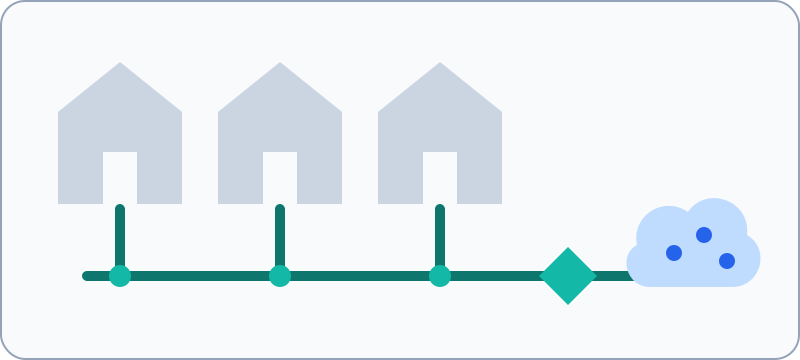
Cable internet shares parts of the neighborhood access network with other users.
Explanation
A shared medium can be busy even when your own modem signal looks clean. DOCSight separates local modem evidence from provider-side utilization claims.
Shared-medium behavior depends on service-group size, scheduling, channel capacity, active demand, and provider policy. One modem cannot measure the whole segment directly.
Distinguish clean RF evidence from congestion evidence. Correlate time-of-day patterns, speedtest/BQM/monitoring data, and provider feedback before treating shared medium as the root cause.
Where you see this in DOCSight
DOCSight features
Signal Trends
Also searched as: Signal history · Trend charts
Quick summary
Signal Trends turns repeated modem readings into graphs.
Explanation
Signal Trends shows time-series views for power, SNR/MER, errors, and related signal evidence.
Trends make drift, intermittent noise, and before/after changes visible. They also show where evidence is missing because no sample or supported field was available.
Use trend windows to export when a value changed, how long it persisted, and whether other metrics moved at the same time. Avoid averaging away short but important spikes.
Where you see this in DOCSight
DOCSight features
Smart Capture
Also searched as: Capture · Evidence capture
Quick summary
Smart Capture collects relevant DOCSight evidence around a problem window.
Explanation
It helps avoid relying on one isolated screenshot by gathering the data sources that matter for an incident.
A capture is only as reliable as the supported sources available at that time. Missing or unsupported fields should remain visible instead of being replaced by guesses.
Use captures for repeatable escalation packages: include the trigger time, collected snapshots, events, trends, and any external monitor data that covers the same window.
DOCSight features
Smokeping
Also searched as: SmokePing · Latency graph
Quick summary
Smokeping adds latency history as another evidence source.
Explanation
Smokeping support lets DOCSight use latency history for intermittent connectivity problems.
Latency-history tools show timing and packet-loss patterns, not the physical cause. Their value increases when they overlap with modem or event evidence.
Use Smokeping traces to confirm when symptoms began, how long they lasted, and whether they align with RF or DOCSIS events before adding them to an escalation package.
Where you see this in DOCSight
DOCSIS terms
SNR/MER
Also searched as: Signal-to-noise ratio · Modulation error ratio · MER · SNR
Quick summary
SNR/MER describes how clearly the modem can hear the signal through noise.
Explanation
SNR and MER are signal-quality measurements. Better values usually mean the modem can decode the channel more reliably.
SNR/MER gains meaning when read with modulation, channel family, error counters, and time trends. One clean value can hide intermittent noise or profile changes.
For escalation, capture MER/SNR together with affected channel IDs, timestamps, error-rate changes, power, and events. Avoid mixing SNR/MER semantics across channel families without checking what the modem actually reports.
Where you see this in DOCSight
DOCSight features
Speedtest
Also searched as: Speed test · Throughput test
Quick summary
Speedtest measures the throughput and latency a user sees during a test.
Explanation
DOCSight can record download, upload, latency, and jitter so user-visible performance can be compared with DOCSIS evidence.
A speedtest measures end-to-end IP performance at one moment. It is not the same as DOCSIS channel capacity, tariff speed, or local RF health.
Interpret speedtest results with test server, time of day, connection monitor data, segment clues, and modem evidence. Avoid using one low result as proof of a DOCSIS signal fault.
Where you see this in DOCSight
DOCSIS terms
T3 / T4 timeout
Also searched as: T3 timeout · T4 timeout · Ranging timeout · DOCSIS timeout
Quick summary
T3 and T4 timeouts are modem events where communication with the provider side was interrupted.
Explanation
A T3 timeout usually means a missed ranging response; a T4 timeout is more severe and can lead to a resync. DOCSight uses them as timing evidence.
Timeouts are upstream/MAC-layer clues. They become more meaningful when they line up with transmit-power changes, return-path noise, channel loss, or a modem resynchronization.
Read T3/T4 events with exact timestamps, maintenance windows, upstream channel state, and incident notes. A repeated T4 pattern is stronger evidence than one isolated historical event.
Where you see this in DOCSight
DOCSIS terms
Uncorrectable errors
Also searched as: Uncorrectables · Uncorrected codewords · FEC uncorrected · Errors
Quick summary
Uncorrectable errors are signal mistakes the modem could not repair.
Explanation
Uncorrectables can mean lost channel-level data, especially when they grow during the observation window. DOCSight treats growth and timing as more important than one old total.
Evidence should keep raw cumulative counters separate from derived growth. Resets, wraparound, and modem reboots can change raw totals without representing a new outage.
Use uncorrectables as escalation evidence when fresh growth aligns with low MER/SNR, modulation drops, event logs, or user-visible latency/loss. Preserve the raw counter when exporting evidence.
Where you see this in DOCSight
DOCSIS terms
Upstream
Also searched as: Upload direction · US · Upstream channels
Quick summary
Upstream is data traveling from your modem back toward the provider network.
Explanation
Upstream channels carry uploads, requests, and modem ranging. DOCSight uses them as upload-side signal evidence.
Upstream may use SC-QAM or OFDMA. Transmit power, modulation drops, ranging behavior, and return-path noise symptoms often matter more than download-side values.
For upstream faults, compare power shifts, channel drops, OFDMA support gaps, T3/T4 events, and latency or packet-loss windows. Missing upstream fields mean unsupported or not reported, not automatically zero.
Where you see this in DOCSight
DOCSIS terms
vCMTS
Also searched as: Virtual CMTS · Software CMTS · CableOS
Quick summary
A vCMTS is a software-based CMTS used in modern cable networks.
Explanation
A vCMTS provides CMTS functions on server infrastructure instead of only dedicated hardware. DOCSight treats it as provider-side context.
vCMTS architectures can change where control-plane and scheduling functions run, but local modem evidence still shows only the customer-side view of that system.
Mention vCMTS only as architecture context unless the provider or modem exposes direct evidence. It should not be used to explain a fault without matching channel, event, or support data.